Webhooktatum监听全链路
refer to:
https://dashboard.tatum.io/notifications
https://docs.tatum.io/docs/notifications
价格:Create a b4 subscription: 1 credit (each)
Fired notification: 100 credits (each)
看起来,免费的账号是每个月100个通知(notification)
付费的话,一年300 刀,需要信用卡。 好处是全链路都有(EVM, TRON, SOLANA)
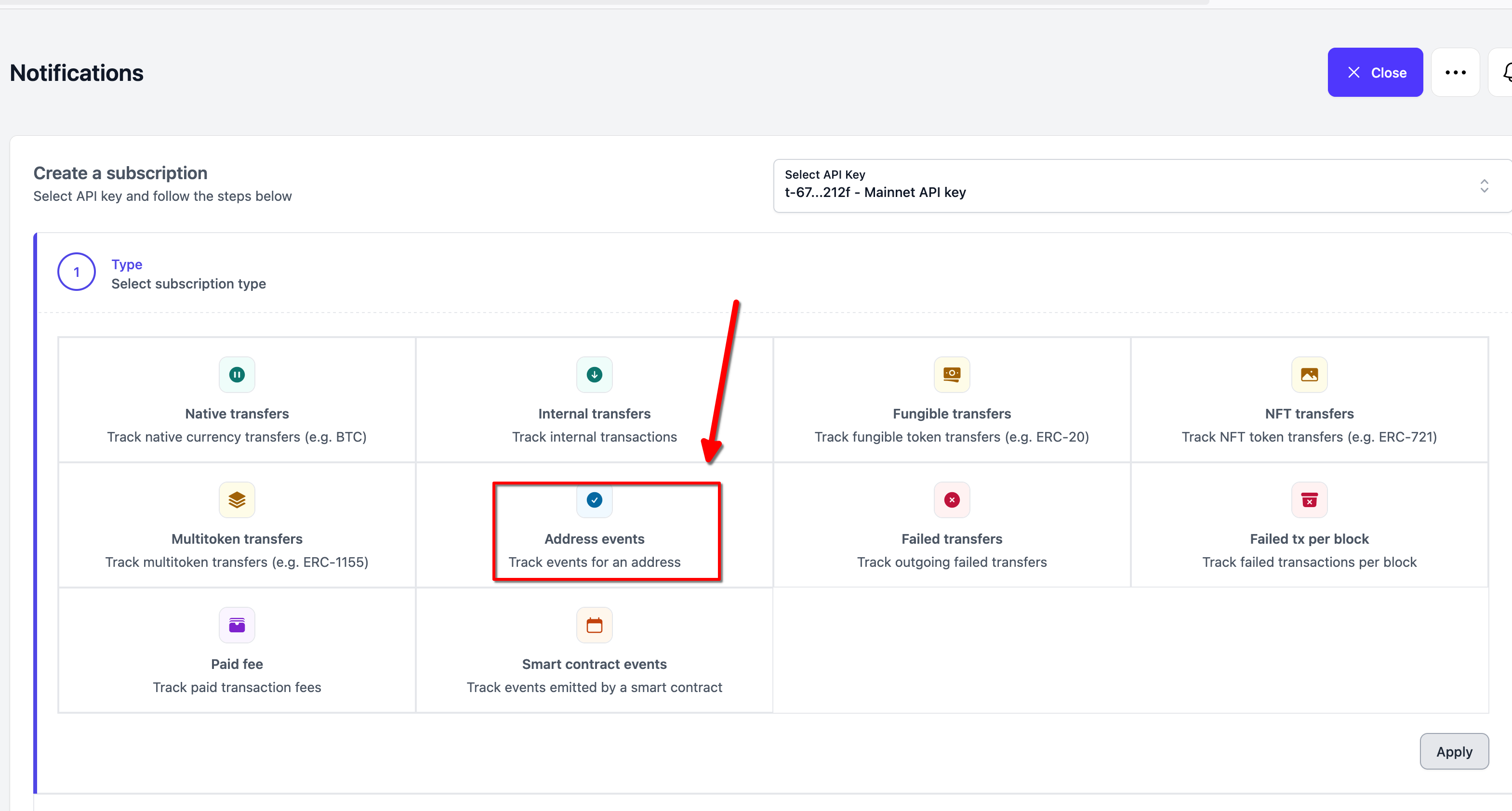
尝试了一下创建webhook, 是可以通知到的。
不过免费的每个月只通知100次。还是要付费的。 每月19$, 年付的话。
api:
https://docs.tatum.io/reference/getsubscriptions
api的形式查看 webhook:
curl --location 'https://api.tatum.io/v4/subscription?pageSize=3' \
--header 'Accept: application/json' \
--header 'x-api-key: t-67ba85c2d807422bf9031f03-59b087c4be6c4132a6f8212f'
更新也有文档。
如何同时监控多个钱包地址? 答:那就创建多个webhook. 总之一个webhook 对应一个address.
https://docs.tatum.io/docs/notifications-bulk-operations
创建 webhook:
curl --location 'https://api.tatum.io/v4/subscription' \
--header 'Accept: application/json' \
--header 'x-api-key: t-67ba85c2d807422bf9031f03-59b08xxx6f8212f' \
--header 'content-type: application/json' \
--data '{
  "type": "ADDRESS_EVENT",
  "attr": {
    "chain": "tron-mainnet",
    "address":"TTpQDBofevPn94w83JiTUfbA9riWA8rfwt",
    "url":"http://206.119.81.157/tron_webhooks/webhook_tron"
  }
}'
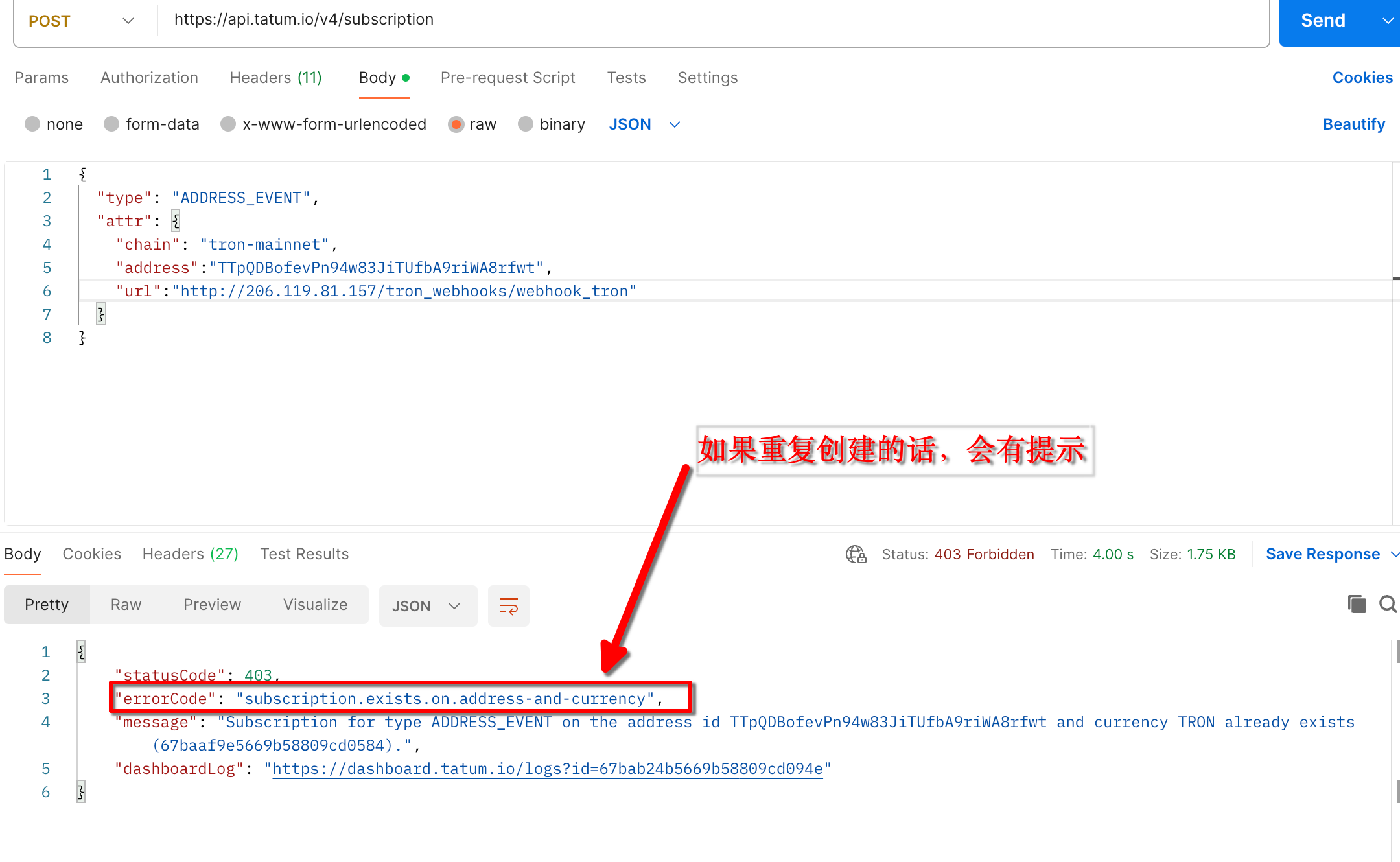
如果重复创建的话,会直接报错,所以不必担心在某个链上对同个地址多次监听的问题。
解析webhook:
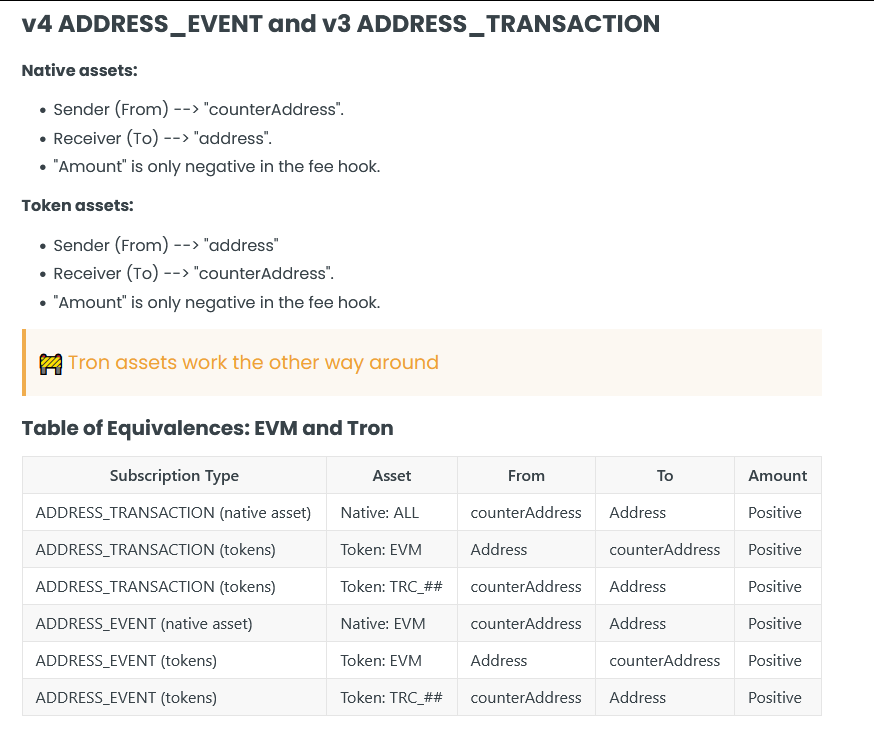
https://docs.tatum.io/docs/notifications-understanding-address-and-counteraddress
address: 就是收款方 (native , trc)
counterAddress: 发款方 (native trc )
address: 发款方 ( erc )
counter address: 收款方 (erc)
token 下(看最后3行即可)
币种名还是合约地址?
注意: contractAddress: 有时候返回地址,有时候返回币种缩写(USDT_TRON),
https://docs.tatum.io/docs/about-contractaddress-value-and-symbol
根据实践, tron 的通知,只有asset, ( USDT_TRON) 没有 contractAddress, (type = trc20)
BSC的通知,则只有 contractAddress, 没有asset (type = token )
网络安全
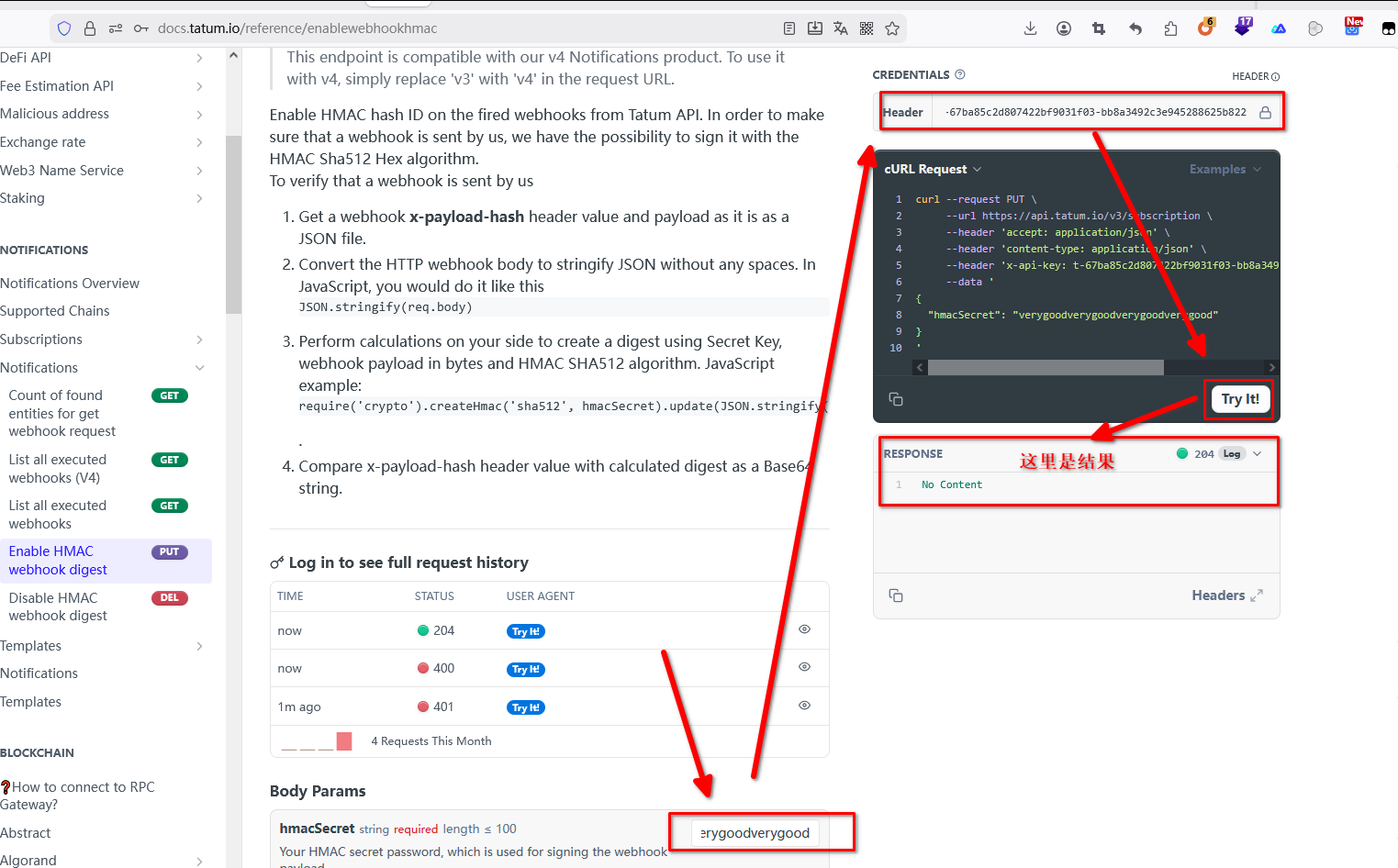
0. 使用hmac 来创建 header. 如下图所示,在对应位置填上参数,即可。
也可以直接使用这个命令:
curl --request PUT \
--url https://api.tatum.io/v3/subscription \
--header 'accept: application/json' \
--header 'content-type: application/json' \
--header 'x-api-key: t-67ba85c2d807422bf9031f03-xxx' \
--data '
{
"hmacSecret": "verygoodxxx"
}
'
1. 使用api创建 notification
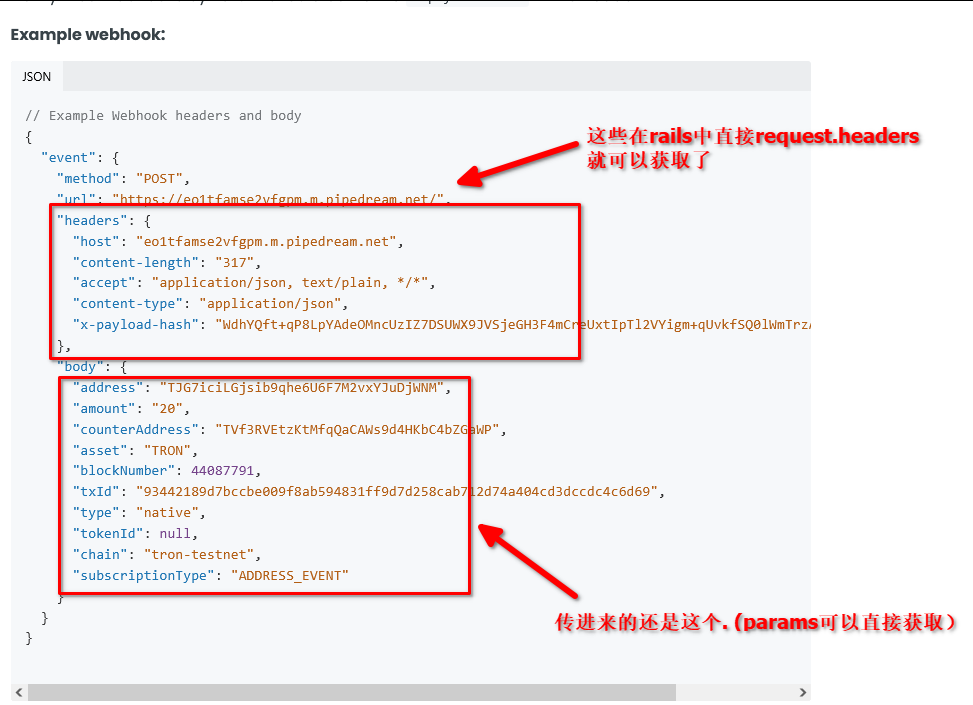
2. 发起一笔转账,触发对应的事件,然后我方的webhook 就会收到 下图的请求和body:
直接使用对应代码处理即可。